Skip to content
Alam Mobile Tech
Alam Mobile Tech
  • How To
  • Frp Solution
  • Tech News
  • Mobile Tips
  • Android Guides
  • Usb Driver
  • How To
  • Frp Solution
  • Tech News
  • Mobile Tips
  • Android Guides
  • Usb Driver
Close

Search

  • https://www.facebook.com/
  • https://twitter.com/
  • https://t.me/
  • https://www.instagram.com/
  • https://youtube.com/
Mobile Tips

All Jio Mobile Boot Key 100% Working For Flashing

By Mr.Alam
July 26, 2024 2 Min Read
0

All Jio Mobile Boot Key 100% Working For Flashing

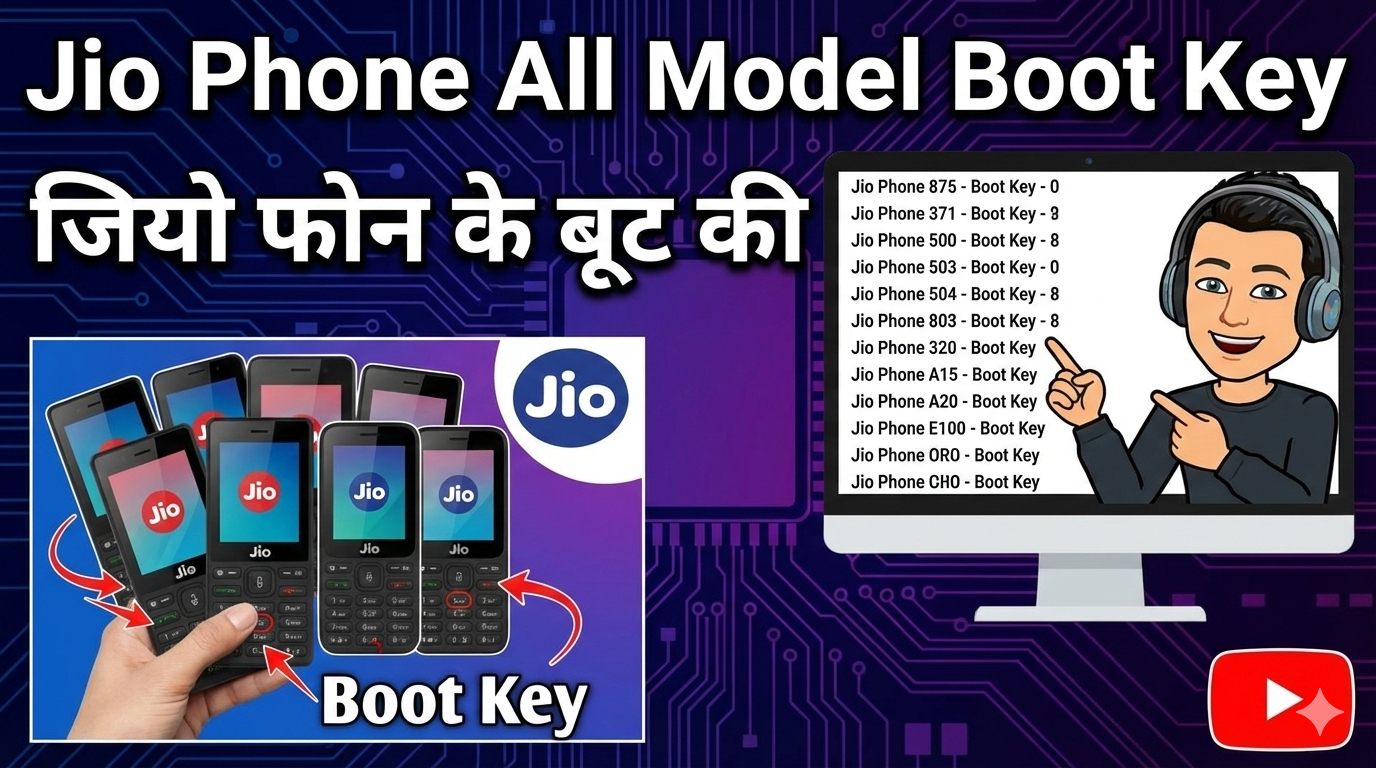
Are you looking for your Jio phone’s bootloader? If yes, you’ve come to the right place. Here you’ll find bootloader details for all of Jio’s keypad phones. Jio recently launched 16 keypad phone handsets, and you’ll find their bootloader information here.
 
Let us understand what a bootloader is and how it is used.

What is a Bootloader? (Bootloader kya hai?

A bootloader is a software program that guides your mobile phone through the booting process. It acts as a bridge between the system and the software. Without a bootloader, your phone will not be able to operate properly.


Jio Phone Supported Models:

You will find bootloader files for the following models:

Jio F120b * & #

Jio F220b * & #

Jio F221s*

Jio F211s*

Jio mobile Boot Key

Jio F210q * & #

Jio LF2401 Power Key

Jio LF2402 Power Key

Jio LF2403 * & #

Jio LF2403 * & #

Jio F90m UP Dpad + Down Dpad (Center key )

Jio F30c UP Dpad + Down Dpad (Center key )

Jio F61f JIO Key

Jio F81e Press 5 key on phone

Jio F41t Press 1 key on phone

Jio F50y UP Dpad + Down Dpad (Center key )

Jio F101K Press 3 key on phone

JIO F320B * & # Key

Bootloader in Use:

Custom ROM Install Karna:

If you want to improve the performance of your Jio phone or add new features, then bootloader must be unlocked to install custom ROM.

Root Access Dena:

By unlocking the bootloader you can root your phone and use advanced customization options.

Firmware Flashing:

If the phone’s software is corrupted, the bootloader must be unlocked to flash the firmware.
Steps to Unlock Bootloader for Jio Phones

Download Required Files:

Download the bootloader file of the specific model of Jio phone.

Install Drivers:

Install USB drivers on your PC that are compatible with Jio phones.

Enable USB Debugging:

Enable USB Debugging by going to the developer options of the phone.

Connect Your Phone:

Connect your Jio phone to PC using USB cable.

Run Bootloader Command:

Unlock the bootloader by going to the command prompt or terminal and using specific commands.

Reboot the Device:

After the process is complete, reboot the phone and verify the changes.

Note:

Unlocking the bootloader may void your phone’s warranty.
This process is for advanced users. If you lack technical knowledge, seek help from an expert.

Conclusion:

By unlocking the bootloader of Jio phones, you can maximize your device’s potential. If you found this guide helpful, please share your feedback. Happy exploring! 😊

Tags:

All Jio Mobile Boot Key 100% Working For Flashing
Author

Mr.Alam

Follow Me
Other Articles
Next

Instagram Reels Banana Sikhe 2026

No Comment! Be the first one.

Leave a Reply Cancel reply

Your email address will not be published. Required fields are marked *

  • Facebook
  • Telegram
  • Instagram
  • WhatsApp
  • YouTube
  • Driver Install Offline
    Driver Install Offline: All OEM USB Drivers in One Tool (2026 Guide)
    by Mr.Alam
    July 11, 2026
  • Mobile Camera Quality Improve Kaise Kare
    Mobile Camera Quality Improve Kaise Kare – 10 Easy Tips for Better Photos (2026 Guide)
    by Mr.Alam
    July 11, 2026
  • WhatsApp-Scheduled-Messages-Kaise-Bheje
    WhatsApp Scheduled Messages Kaise Bheje? 5 Easy & Proven Methods (2026 Guide)
    by Mr.Alam
    July 10, 2026
  • Android Guides
  • Frp Solution
  • How To
  • Mobile Tips
  • Tech News
  • Usb Driver
  • About Us
  • Contact Us
  • Disclaimer
  • Privacy & Policy
  • Terms & Conditions
    • Android Guides
    • Frp Solution
    • How To
    • Mobile Tips
    • Tech News
    • Usb Driver
      Copyright 2026 - Alam Mobile Tech - All rights reserved.